
As a heavy AI user, when using ChatGPT, Doubao, or DeepSeek to handle complex tasks (like writing code or brainstorming articles), I often encounter a problem:
“When thinking diverges, the conversation can only stack linearly.”
When I engage in long-context conversations, my thoughts tend to be divergent. For example, when solving a bug, I might ask a few questions about solution A, find it doesn't work, and then revert to ask a few questions about solution B. But in the original webpage, all these conversations are mixed together, making it very chaotic.
A few days later, if I want to retrieve a certain thought from that time? I basically have to rely on the mouse wheel to scroll up frantically to find that original question.
To solve this problem, I developed Megi.
What can Megi do?#
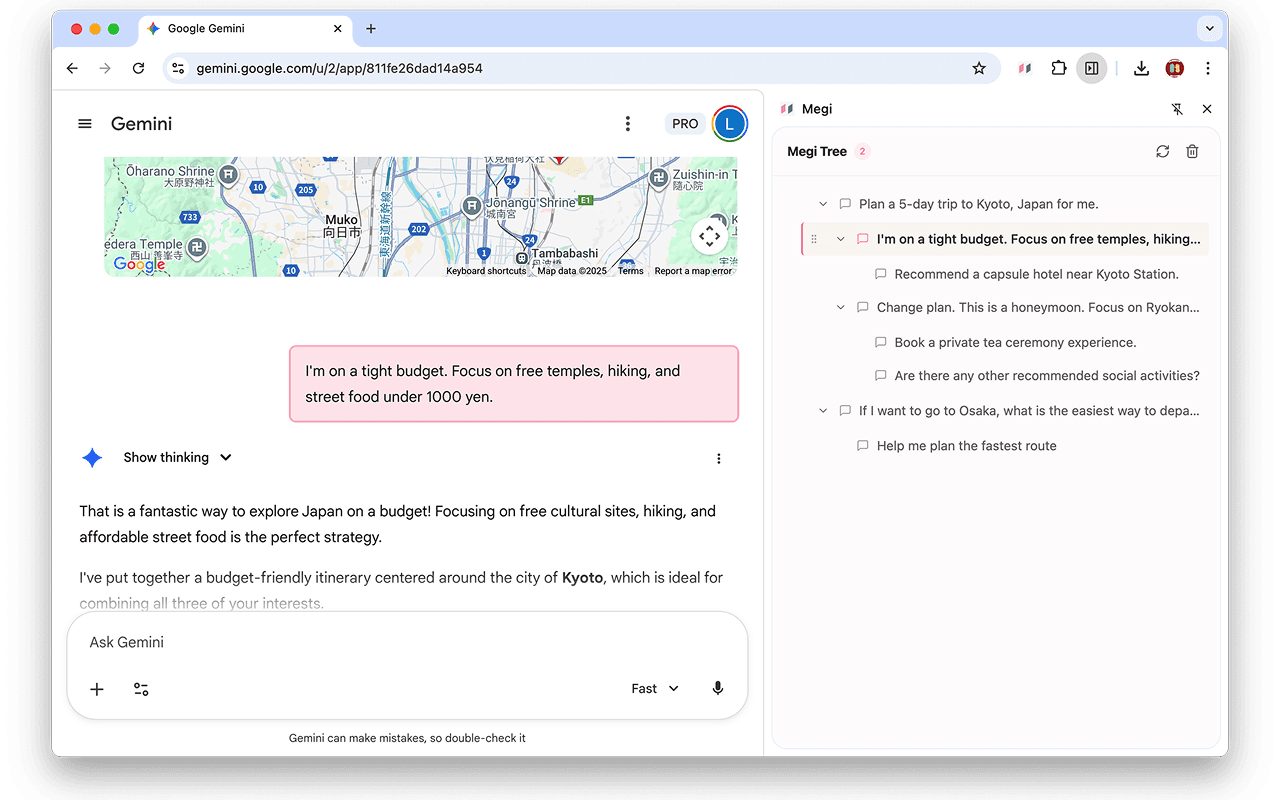
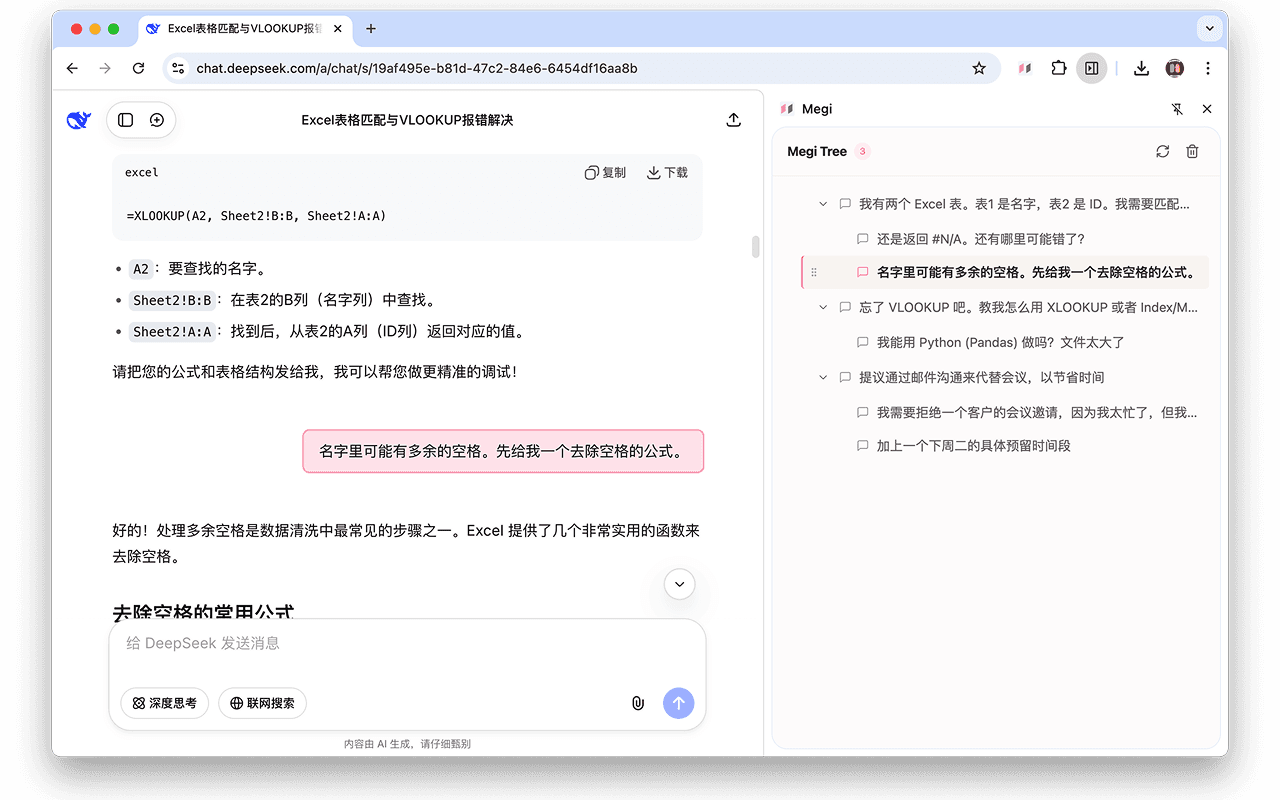
It is a sidebar browser extension that restructures the originally linear conversation records into a tree structure.
- Structured Organization: Automatically captures your questions and generates a clear directory tree, making the conversation context easy to understand.
- Immersive Navigation: Click on a question in the sidebar, and the conversation box instantly scrolls to the target position. No need to search up and down repeatedly.
- Drag-and-Drop Grouping: You can directly drag a "follow-up question" under another question to become a child node. Just like organizing notes in Notion, manually arrange scattered conversations into a knowledge tree.
- Long Text Folding: When pasting large blocks of code or long documents, it automatically collapses lengthy inputs. It retains context while keeping the webpage clean and tidy.
- Multi-Platform Support: Perfectly supports Doubao, Wenxin Yiyan, ChatGPT, Gemini, DeepSeek. More platforms will be supported in the future.
Some Product Thoughts#
I found that there are quite a few sidebar outline plugins on the market, but what I want to do is more than just "indexing." I believe: being able to ask a good question is more important than getting an answer.
So in Megi's sidebar, there are only questions, no answers. When you drag a "follow-up question" under the main question to become a child node, you are actually building logic. Looking back at the entire sidebar, what you see is not just a directory structure, but the path of your own thinking.
Easter Egg#
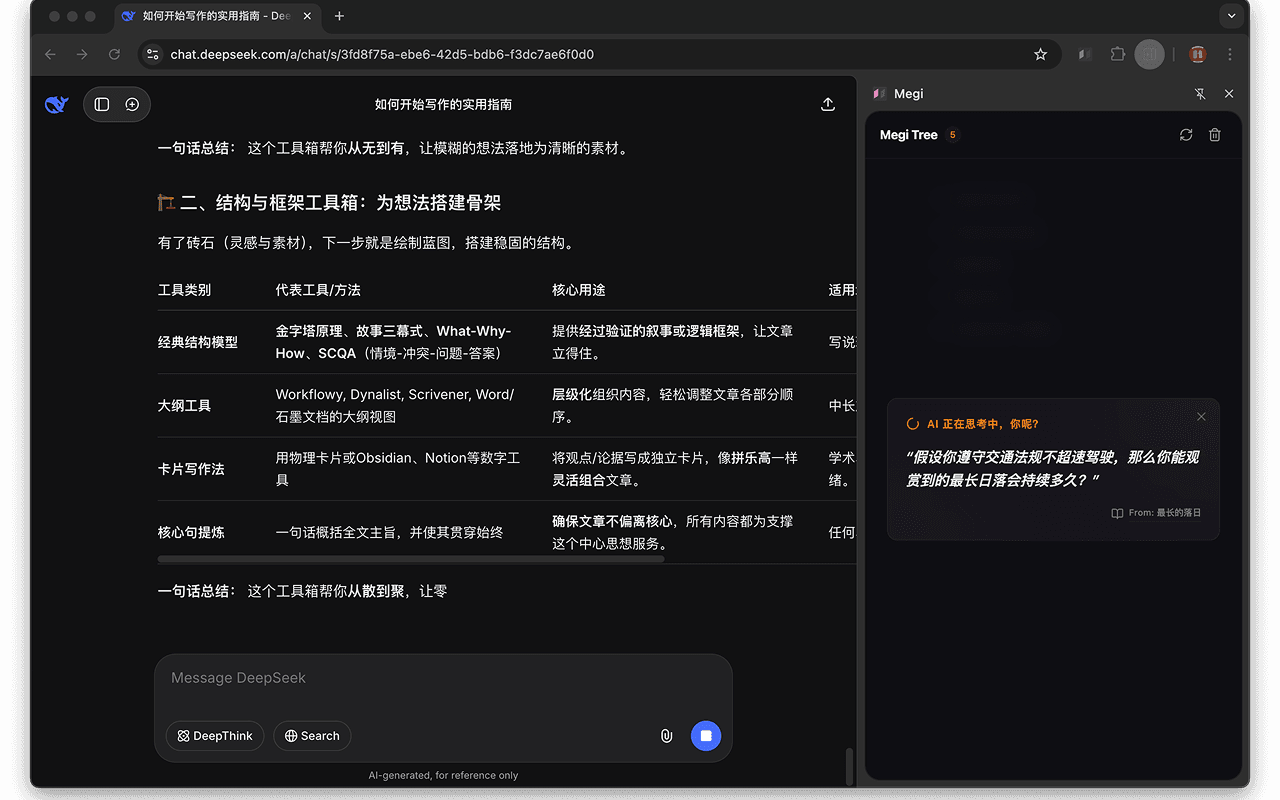
When the AI is thinking or generating an answer, a question card will appear in the sidebar. These questions come from a book I previously read — "What If: Serious Scientific Answers to Absurd Hypothetical Questions."
- “If all humans disappeared, when would the last artificial light source go out?”
- “Who is the person farthest from other living people in this world? Are they lonely?”
- “If you made bricks from the elements in the periodic table and arranged them according to the periodic table, what would happen?”
I hope these questions, which have no standard answers, can spark a little thought while you wait for the AI to give you an answer.
Data Privacy#
- No Servers: No servers have been set up to sync your conversation titles or content.
- Local Storage: All tree structure data and grouping information of Megi are stored entirely in your local browser.
Usage and Feedback#
If you encounter the same problem as I did while using AI conversations, I hope Megi can help you.
Megi is live on the Chrome and Edge plugin markets, and has gone through several iterations, providing a relatively smooth experience, though there are definitely still some bugs. Everyone is welcome to try it out and report bugs; I will continue to maintain it.
Website
Download Links
- (Chrome Web Store):
[https://chromewebstore.google.com/detail/megi/gdnphcdionfgjohfhnjeoiaiicilbolj?utm_source=item-share-cb] - (Edge Add-ons Store):
[https://microsoftedge.microsoft.com/addons/detail/megi/fpkmedhlhmeolnkndjjgdgpnmibcfcof]
Finally, usage effect images